A man driving a car. He is wearing a grey sweater and is looking at the camera with a slight smile.

Instant Payouts for Taxi and Rideshare Drivers

Get paid faster with CabFare Instant Payouts. Access available earnings in minutes to your bank account or debit card any day of the week, even weekends. daily.

CabFare in 30 seconds
A man driving a car. He is wearing a grey sweater and is looking at the camera with a slight smile.

Instant Payouts for Taxi and Rideshare Drivers

Get paid faster with CabFare Instant Payouts. Access available earnings in minutes to your bank account or debit card any day of the week, even weekends. daily.

CabFare in 30 seconds
A man driving a car. He is wearing a grey sweater and is looking at the camera with a slight smile.

Instant Payouts for Taxi and Rideshare Drivers

Get paid faster with CabFare Instant Payouts. Access available earnings in minutes to your bank account or debit card any day of the week, even weekends. daily.

CabFare in 30 seconds
A man driving a car. He is wearing a grey sweater and is looking at the camera with a slight smile.

Access your earnings faster

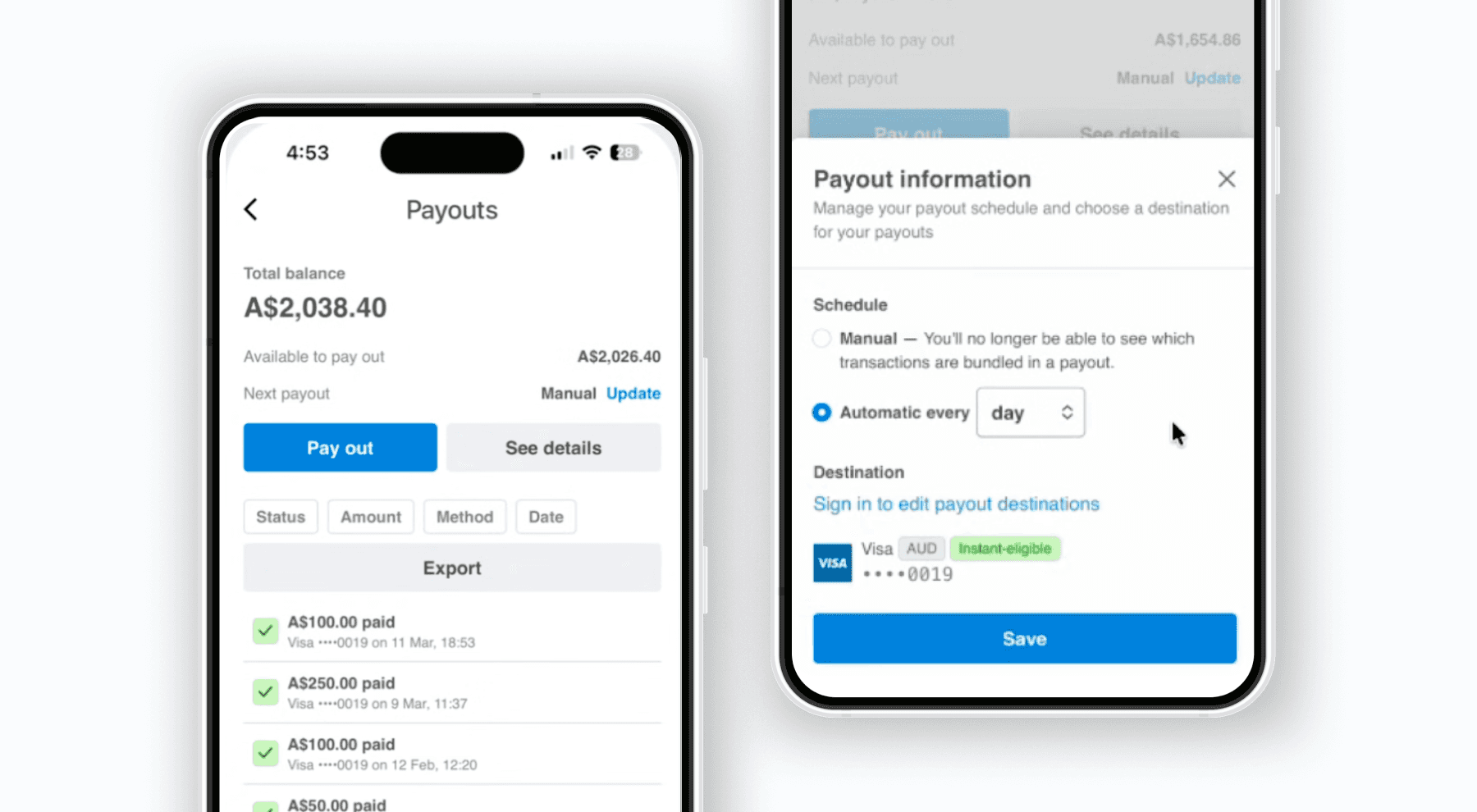
With Instant Payouts, CabFare users can access available payment balances shortly after a successful charge. Request a payout any day or time through the CabFare Tap to Pay app, including weekends and public holidays, with funds typically settling to your linked payout account within 30 minutes.

With Instant Payouts, CabFare users can access available payment balances shortly after a successful charge. Request a payout any day or time through the CabFare Tap to Pay app, including weekends and public holidays, with funds typically settling to your linked payout account within 30 minutes.

Accept in-vehicle payments with ease

How Instant Payouts work

Instant Payouts let you move available funds faster than your standard payout schedule. A fee applies to each Instant Payout request. Any remaining funds that are not paid out instantly will continue to settle according to your default payout schedule.

Accept in-vehicle payments with ease

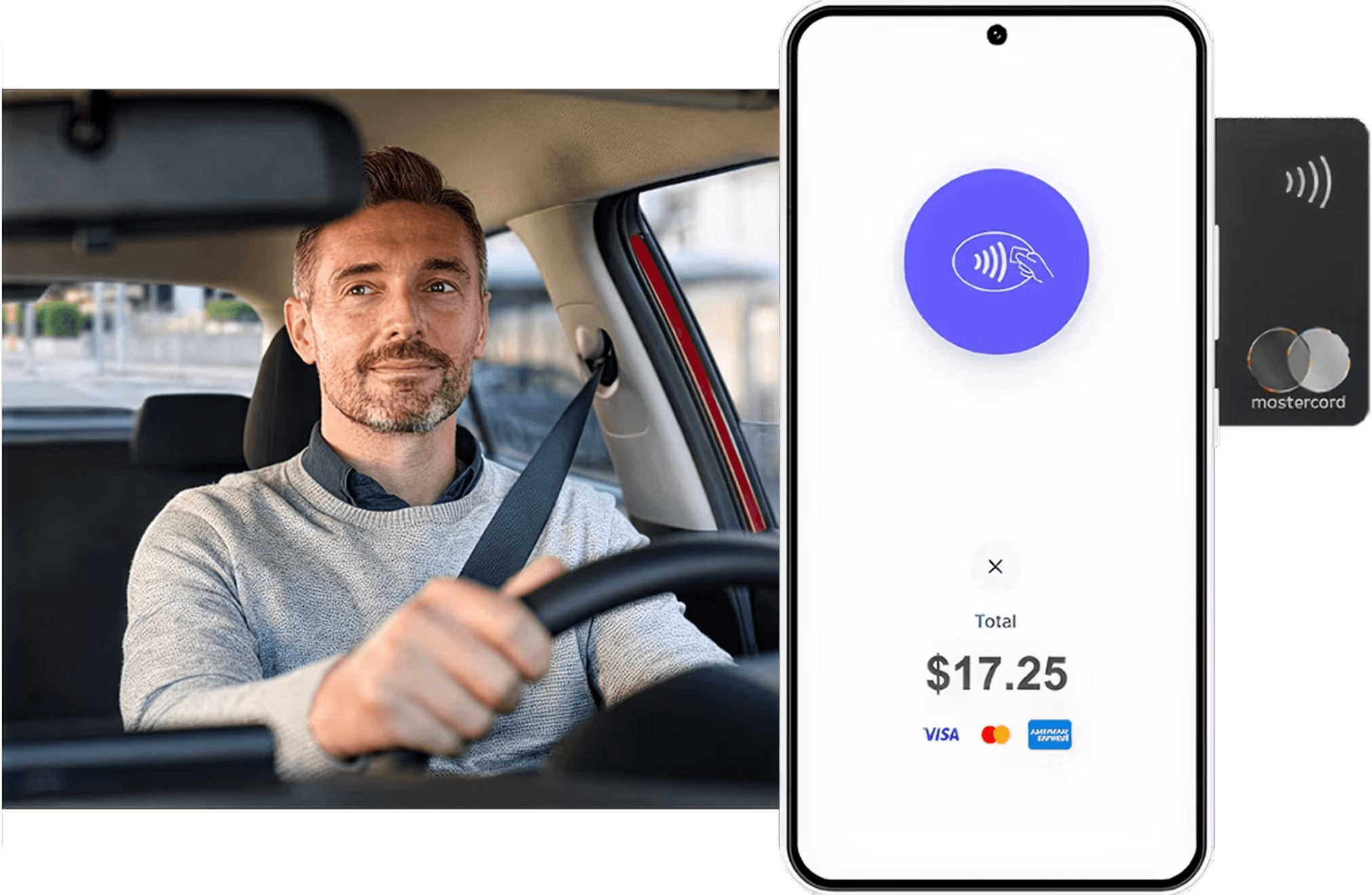
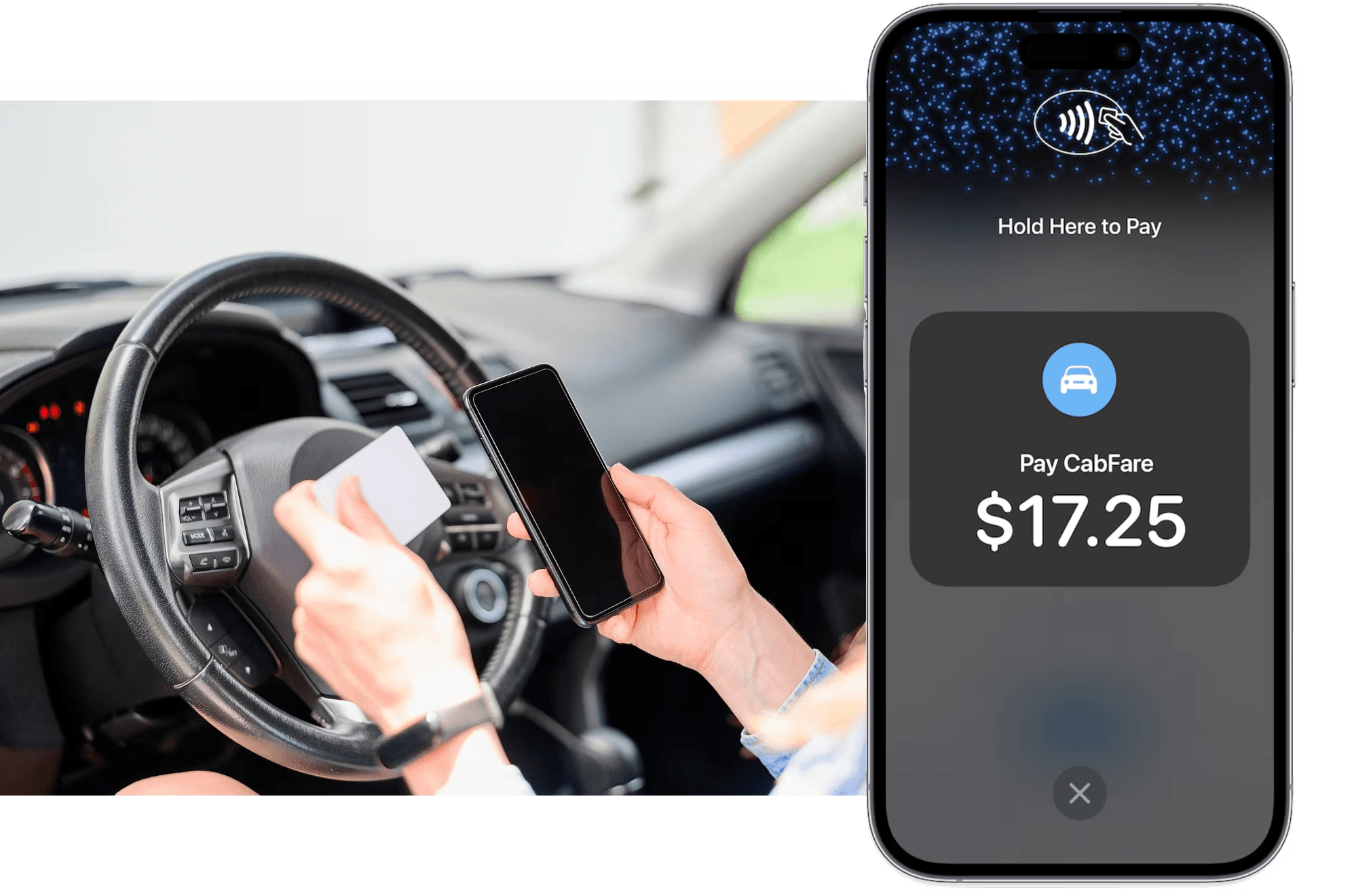
Accept debit and credit cards, Apple Pay and digital wallets — no extra hardware required.

  • American Express logo
  • Google Pay logo
  • Apple Pay logo
  • Samsung Pay icon
  • Mastercard logo
  • Visa logo
  • JCB Pay logo
  • NFC icon
  • EFTPOS Pay logo
  • American Express logo
  • Google Pay logo
  • Apple Pay logo
  • Samsung Pay icon
  • Mastercard logo
  • Visa logo
  • JCB Pay logo
  • NFC icon
  • EFTPOS Pay logo
Accept in-vehicle payments with ease
Send receipts instantly

Send receipts instantly

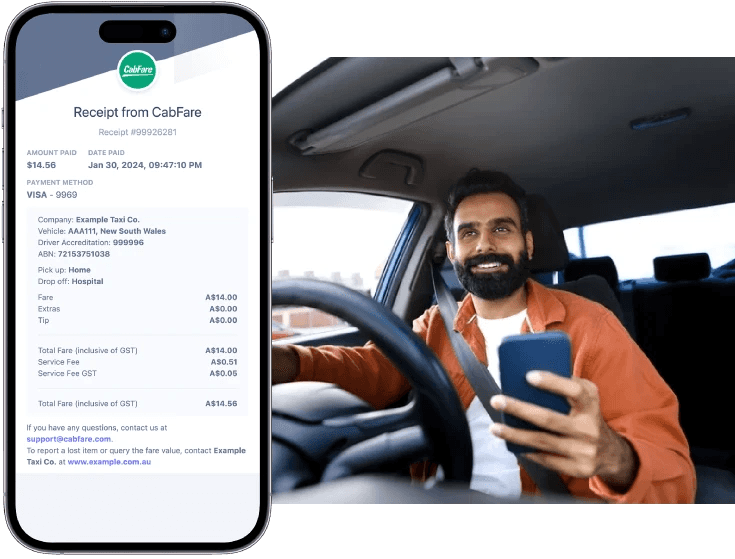
Issue digital, taxi-compliant receipts from your phone. No paper rolls or printer needed.

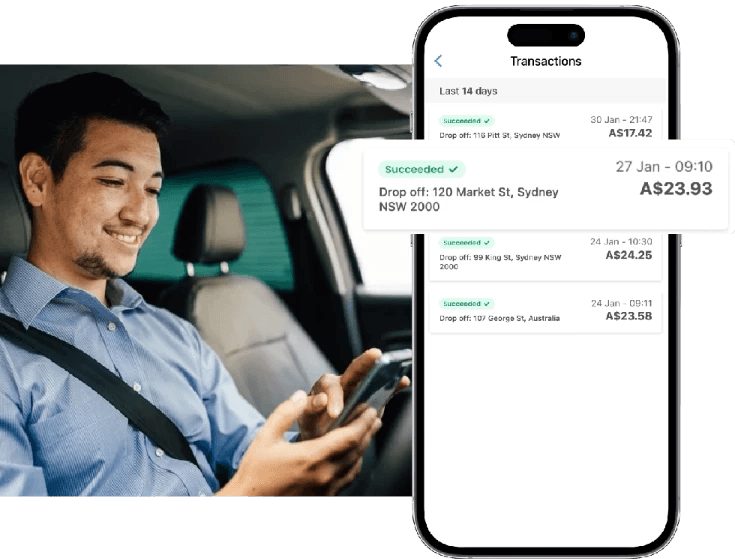
Track your earnings in real time

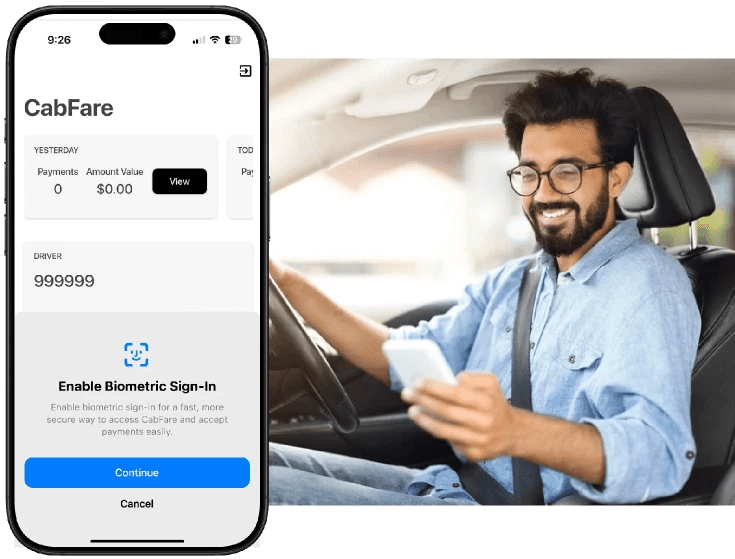
Keep an eye on your daily fares, payouts, and trip history with one tap inside the app.
Track your earnings in real time
Secure, compliant, and private

Secure, compliant, and private

Your data is safe. All payments meet industry standards for security and compliance.

Turn your phone into a digital tip jar

Prepaid ride? Riders can still tip you directly after the trip.
Track your earnings in real time
Built for Every Driver

Built for Every Driver

Whether you’re running luxury rides, airport pickups, or on-demand trips, this app has you covered.

Whether you’re running luxury rides, airport pickups, or on-demand trips, this app has you covered.

Rideshare pros

Limo & chauffeur services

Square switchers tired of readers

Uber Black & Lyft Lux drivers

Independent for-hire drivers

Entrepreneurs behind the wheel

To get started, download the CabFare Tap to Pay app for iOS or Android.

In the app:
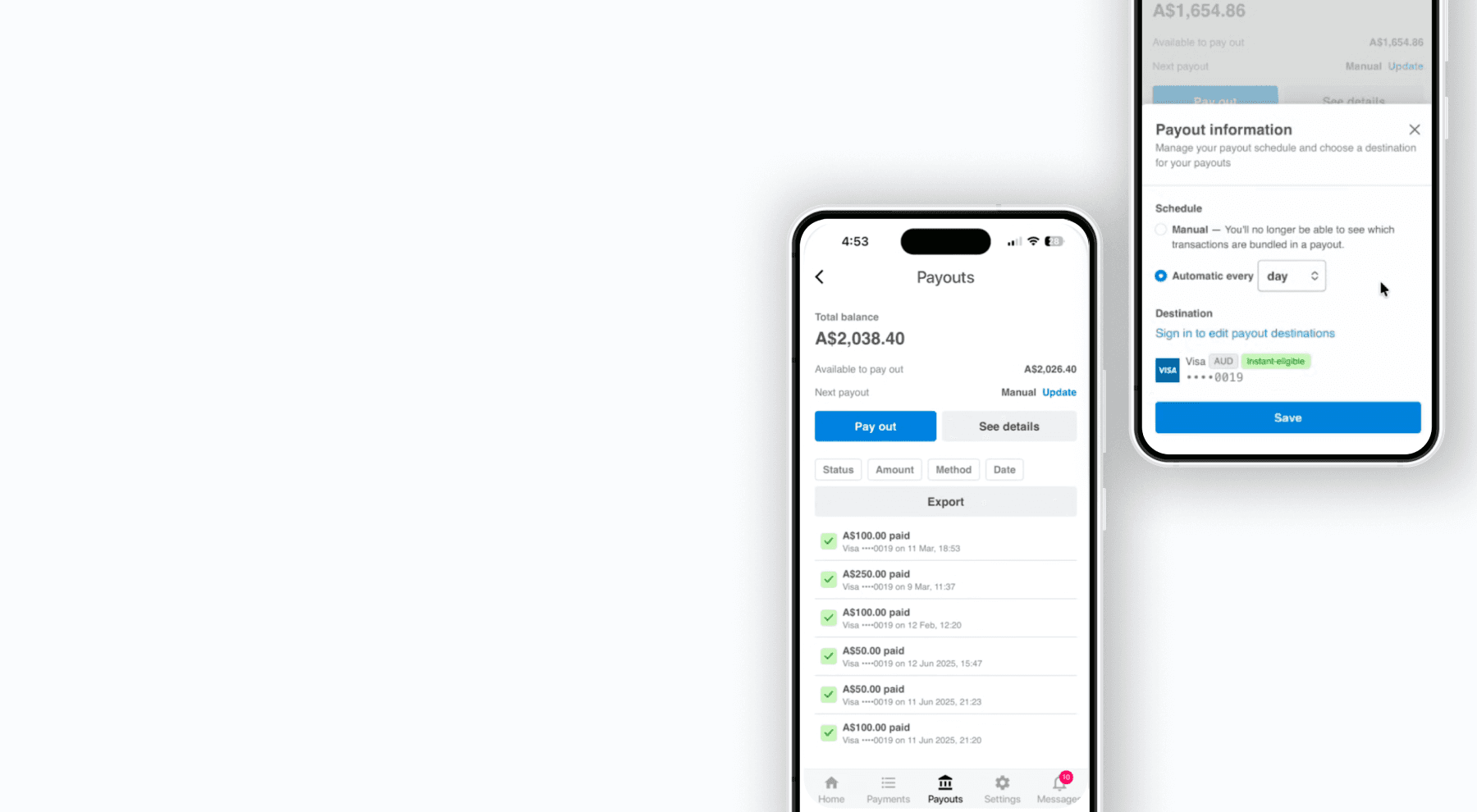
  1. Go to the Payouts menu at the bottom of the app page.
  2. Select Pay out funds.
  3. If your balance is positive, you’ll see an option to begin the payout process.
  4. Select a Standard or Instant payout.
  5. Enter the amount you want to receive. You can enter up to the maximum amount available, subject to daily volume limits.
  6. The Instant Payout fee is pre-deducted so the balance shown reflects what you’d actually receive.
  7. Funds are paid out immediately and arrive at your payout destination within minutes.

In the app:

  1. Go to the Payouts menu at the bottom of the app page.

  2. Select Pay out funds.

  3. If your balance is positive, you’ll see an option to begin the payout process.

  4. Select a Standard or Instant payout.

  5. Enter the amount you want to receive. You can enter up to the maximum amount available, subject to daily volume limits.

  6. The Instant Payout fee is pre-deducted so the balance shown reflects what you’d actually receive.

  7. Funds are paid out immediately and arrive at your payout destination within minutes.

Top instant payout questions

What are Instant Payouts?

Who can use Instant Payouts?

How quickly do Instant Payouts arrive?

When can I request an Instant Payout?

Is there a fee for Instant Payouts?

Where can Instant Payouts be sent?

How do I request an Instant Payout?

Why is my available balance lower than expected?

Are Instant Payouts available on weekends and public holidays?

Why am I not seeing the Instant Payout option in the app?

Are Instant Payouts available on all CabFare products?

Is Instant Payout the same as my standard payout schedule?

Can fleets use Instant Payouts too?

Top instant payout questions

What are Instant Payouts?

Who can use Instant Payouts?

How quickly do Instant Payouts arrive?

When can I request an Instant Payout?

Is there a fee for Instant Payouts?

Where can Instant Payouts be sent?

How do I request an Instant Payout?

Why is my available balance lower than expected?

Are Instant Payouts available on weekends and public holidays?

Why am I not seeing the Instant Payout option in the app?

Are Instant Payouts available on all CabFare products?

Is Instant Payout the same as my standard payout schedule?

Can fleets use Instant Payouts too?

Top instant payout questions

What are Instant Payouts?

Who can use Instant Payouts?

How quickly do Instant Payouts arrive?

When can I request an Instant Payout?

Is there a fee for Instant Payouts?

Where can Instant Payouts be sent?

How do I request an Instant Payout?

Why is my available balance lower than expected?

Are Instant Payouts available on weekends and public holidays?

Why am I not seeing the Instant Payout option in the app?

Are Instant Payouts available on all CabFare products?

Is Instant Payout the same as my standard payout schedule?

Can fleets use Instant Payouts too?

Start taking payments with just your phone

The CabFare app lets professional drivers like you accept contactless payments in minutes. Simple, secure, and built for the road.

Start taking payments with just your phone

The CabFare app lets professional drivers like you accept contactless payments in minutes. Simple, secure, and built for the road.

Start taking payments with just your phone

The CabFare app lets professional drivers like you accept contactless payments in minutes. Simple, secure, and built for the road.